Skip to content
KIN

KIN Web

Room to go deeper.

KIN on the web is built for longer work: literature reviews, evidence briefs and team projects. The same research as the app, with space to explore it.
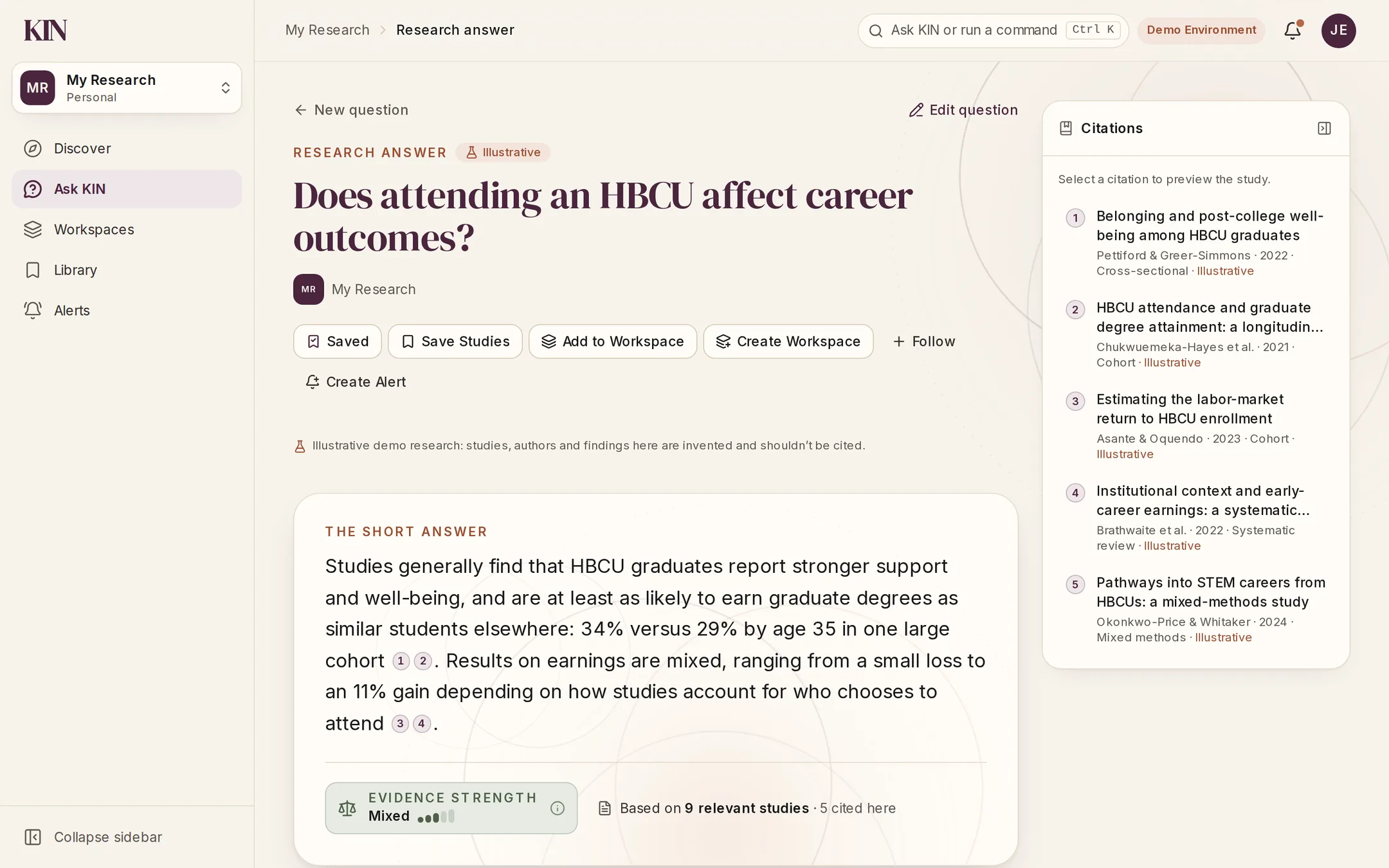
KIN web app research answer to “Does attending an HBCU affect career outcomes?”: a short answer with inline citations, mixed evidence strength from 9 relevant studies, and a citations panel listing five studies.
A research answer with its evidence strength and citations. Prototype screen; studies shown are demo data.

One research environment

Five places, each with one job.

Everything in KIN Web starts from a question you already have.
  1. Discover

    What should I know or explore?

  2. Ask KIN

    What does the evidence say about my question?

  3. Workspaces

    What am I building or working on with others?

  4. Library

    Where are the studies, collections and citations I’ve kept?

  5. Alerts

    What has changed since I last checked?

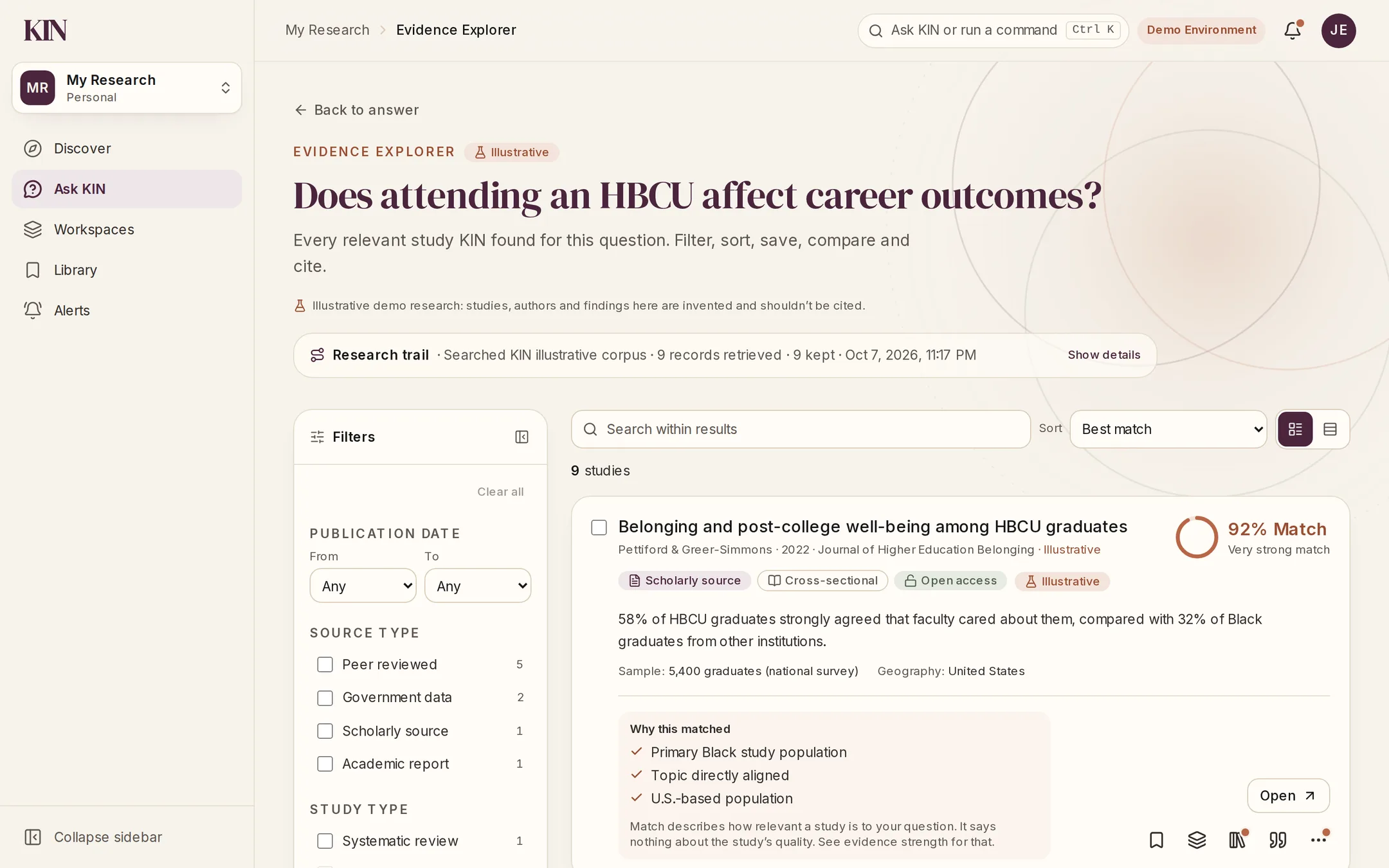
Evidence Explorer

Every study behind the answer.

Open the full set of research KIN found for a question. Filter it, sort it, and see why each study matched.

  • Filter by date, source and study design
  • Sort by Match Score
  • Save, compare or cite any study
KIN Evidence Explorer: filters for publication date, source type and study type beside a study card with a 92% Match Score, its key finding, sample, and why it matched.

Compare

See where studies agree, and where they don’t.

Put two to five studies side by side. KIN lays out the agreements, the differences and the method notes that explain them.
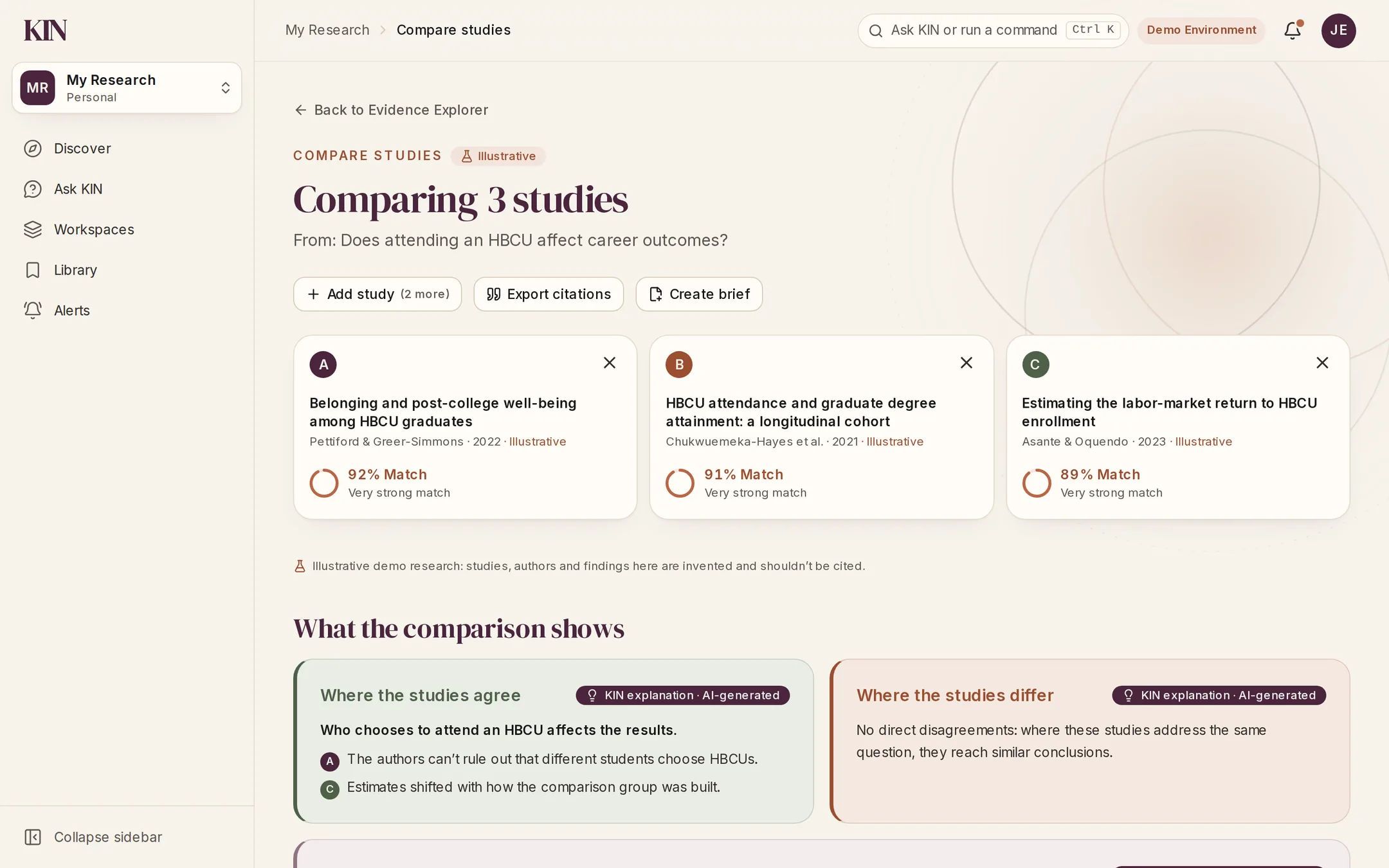
  • Agreements and disagreements
  • Differences in design, groups and places
  • Export citations or start a brief
KIN Compare studies view with three HBCU studies side by side, each with a Match Score, followed by where the studies agree and where they differ.

Workspaces

Map the evidence before you write.

A workspace holds the research for one project. The mind map groups its studies into themes, populations and methods, so gaps are easy to spot.
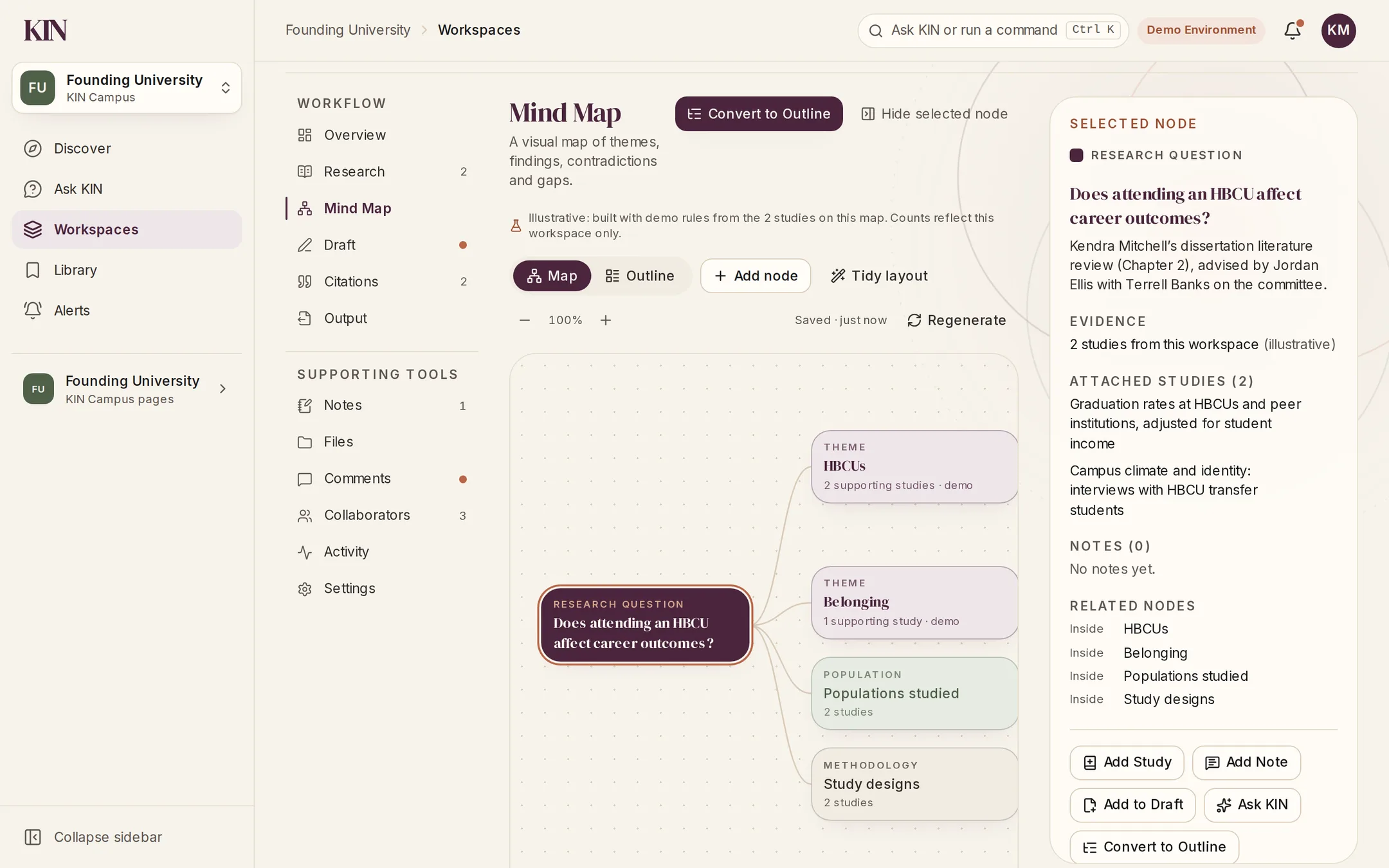
  • Themes, findings and gaps
  • Built only from studies in the workspace
  • Turn the map into an outline
KIN workspace mind map: the research question connected to themes (HBCUs, Belonging), populations studied and study designs, with a selected-node panel listing attached studies.

Draft

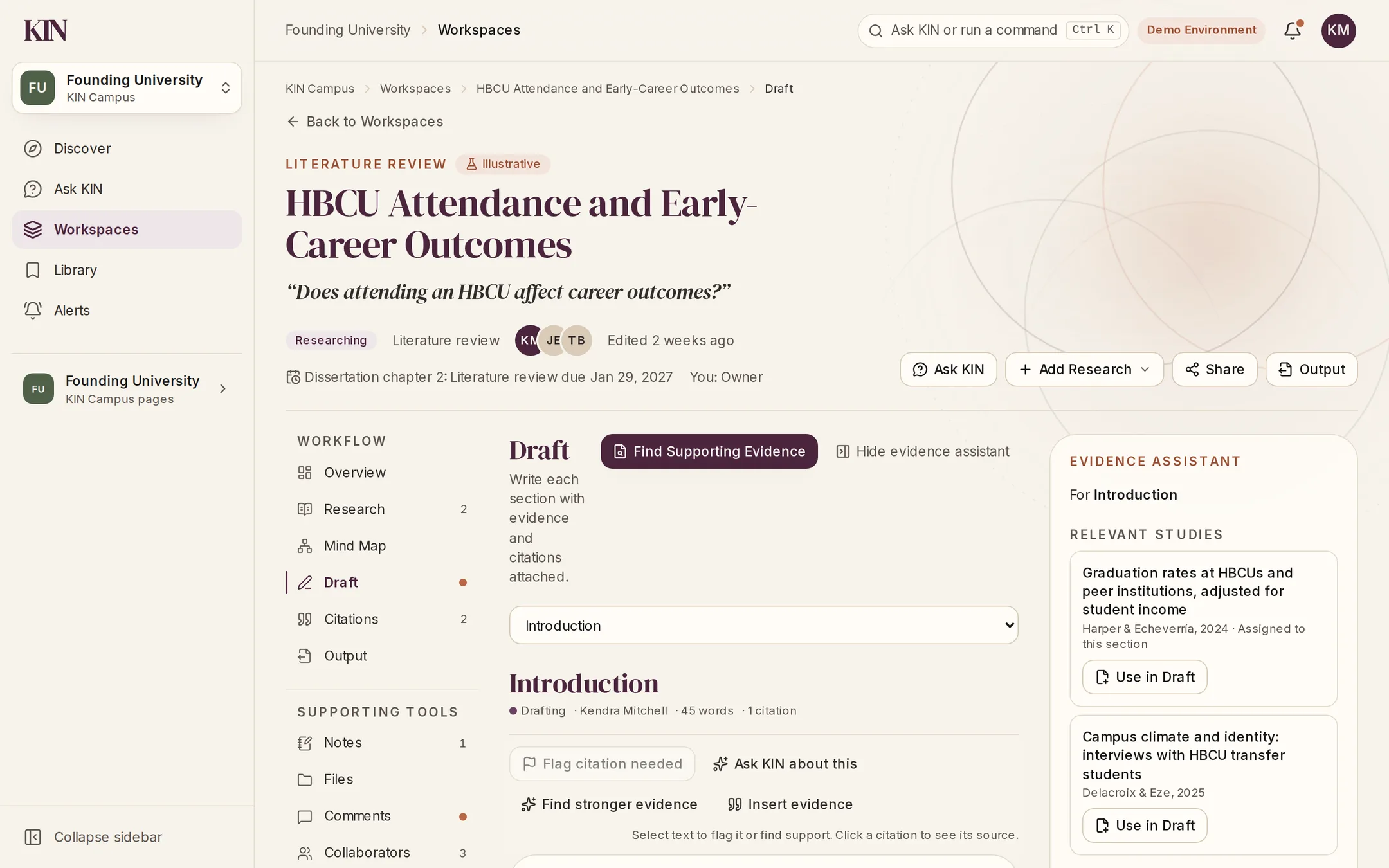
Write with the evidence beside you.

Draft each section with relevant studies alongside. Flag claims that need support, and build references from the studies you actually cite.
  • Evidence assistant for each section
  • Find stronger evidence for a claim
  • References and citation checks
KIN workspace Draft for a dissertation literature review: the Introduction section with tools to flag a citation, ask KIN and find stronger evidence, beside an evidence assistant suggesting relevant studies.

Screens from the KIN web prototype. Studies, people and institutions shown are illustrative.

For organizations
Built for campuses and teams.

KIN Web is where KIN Campus and KIN Teams live: shared workspaces, collections and alerts for the research your community relies on.
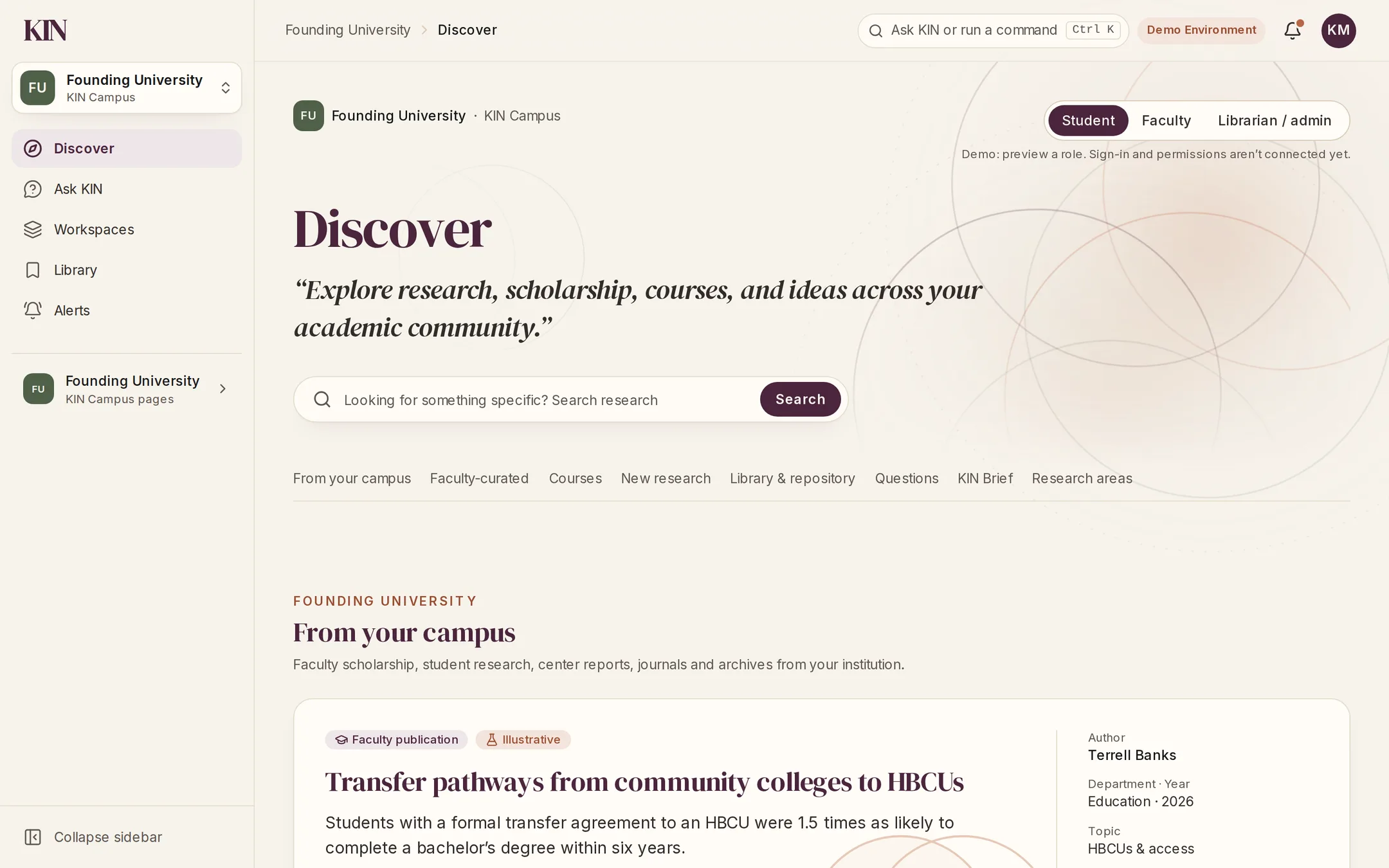
KIN Campus Discover for an example university: research, courses and questions from the campus, with a faculty publication featured under “From your campus”.

KIN Campus

Your institution’s research, courses and questions in one place, for students, faculty and librarians.

Explore KIN Campus
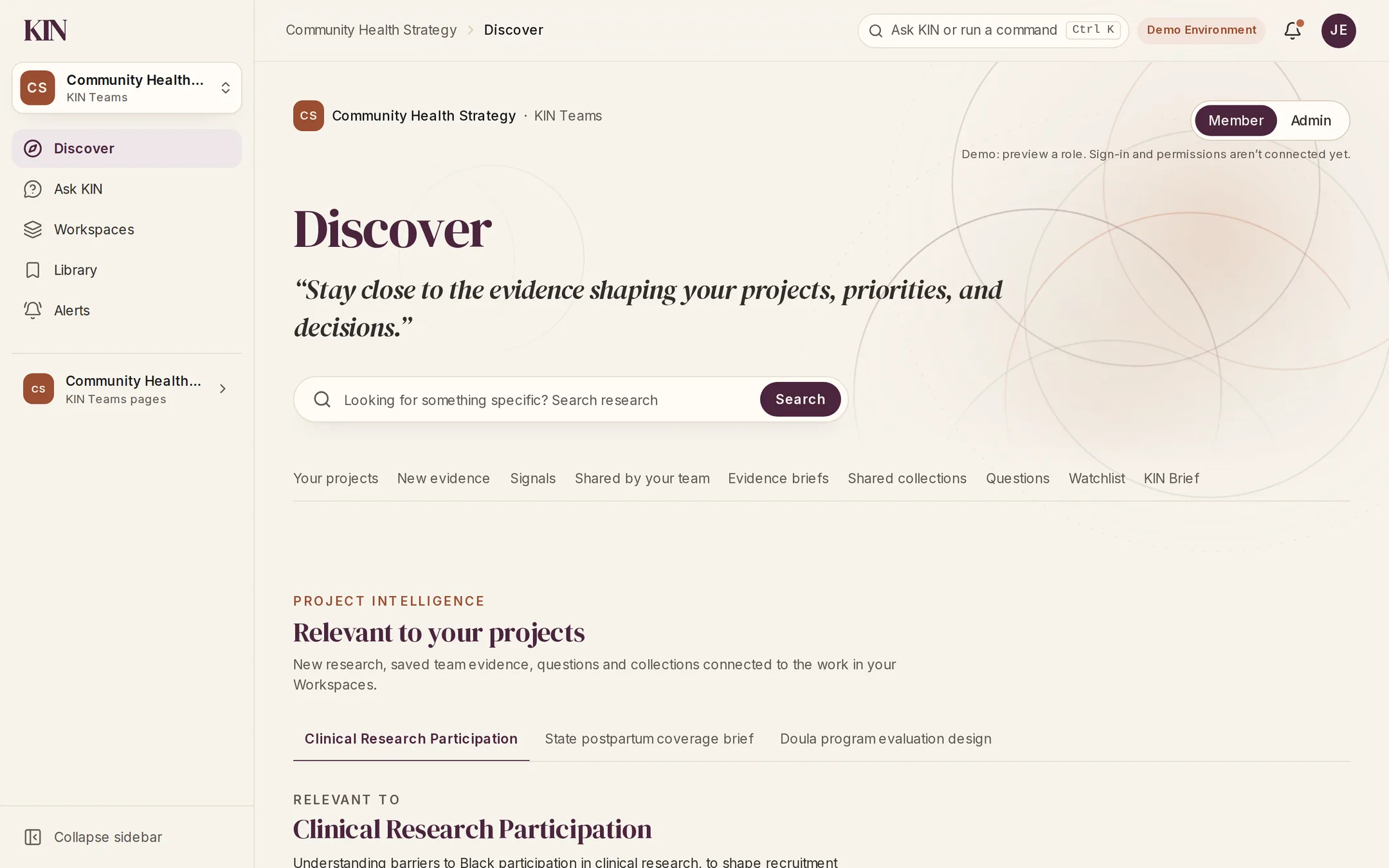
KIN Teams Discover for an example organization: project intelligence showing new research relevant to the team’s projects.

KIN Teams

New research matched to your team’s projects, with shared evidence and briefs for the decisions ahead.

Explore KIN Teams

Example institution and organization with demo data.

App and web

Same research, two ways in.

The KIN app

For a quick question.

Ask on the go, read a plain-language answer, and save the studies worth coming back to.

KIN Web

For deeper work.

Explore every study, compare findings, and write literature reviews and evidence briefs with your campus or team.

Early access

Help shape what KIN becomes.

We are building KIN with researchers, students, educators, community leaders, and early users who believe credible research should be easier to access and understand.